Ubuntu安装nginx
apt-get安装nginx
- 切换至root用户
1 | |
- 查看nginx是否安装成功
1 | |
- 启动nginx
1 | |
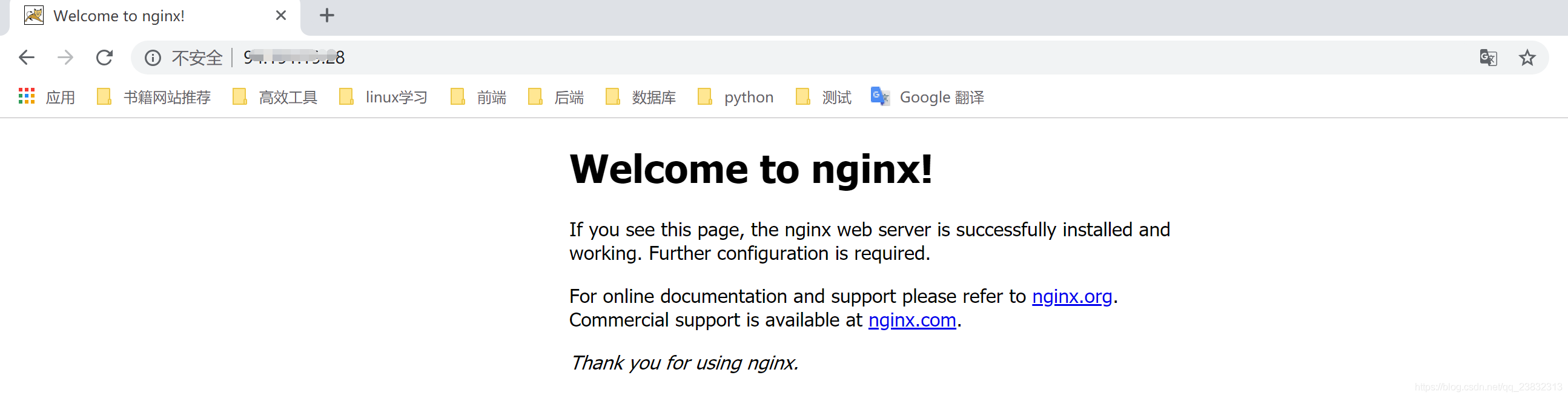
启动后,在网页重输入ip地址,即可看到nginx的欢迎页面。至此nginx安装成功
nginx文件安装完成之后的文件位置:
/usr/sbin/nginx:主程序 /etc/nginx:存放配置文件 /usr/share/nginx:存放静态文件 /var/log/nginx:存放日志
下载nginx包安装
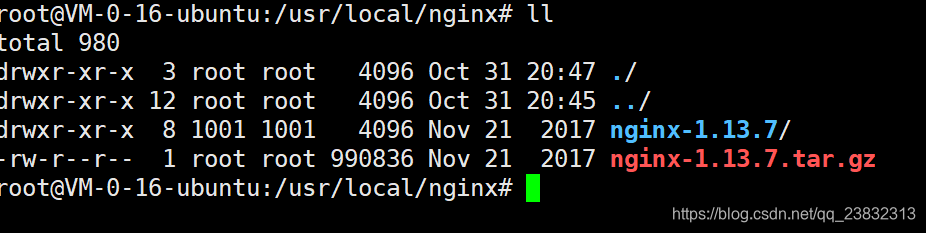
由于上面已经安装了nginx,所以我们先卸载nginx。再重新上传nginx包,解压下载。有输入提示时,输入Y即可
- 卸载apt-get安装的nginx
1 | |
- 查看nginx的版本号
1
nginx -v

- 安装依赖包
1 | |
Ubuntu14.04的仓库中没有发现openssl-dev,由下面openssl和libssl-dev替代
1 | |
- 安装nginx
1 | |
- 编译nginx
1 | |
- 启动nginx
1 | |

- 访问nginx
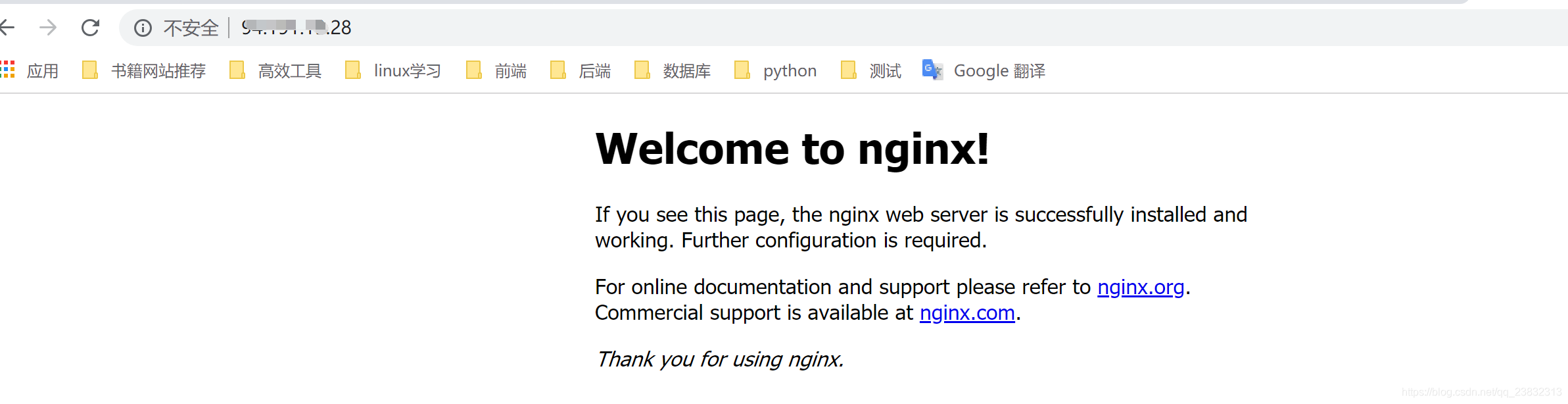
网页输入ip地址,访问成功,到此,nginx安装完毕
使用 OneinStack安装
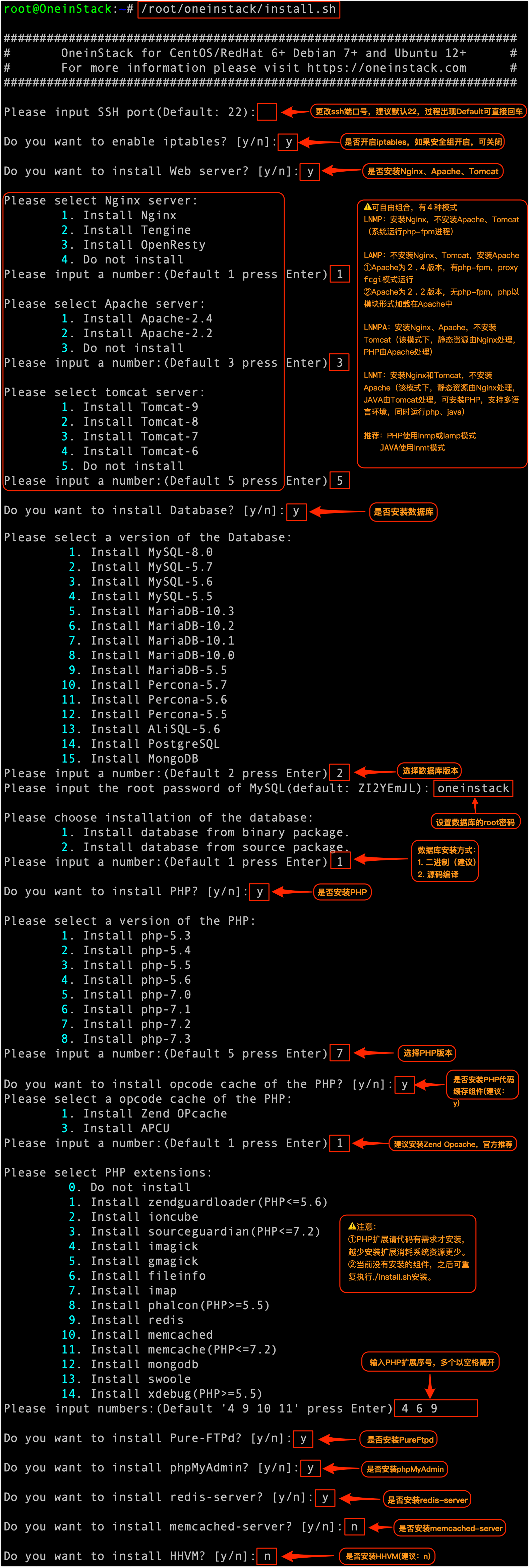
参考下面命令,一步步自定义安装。
1 | |
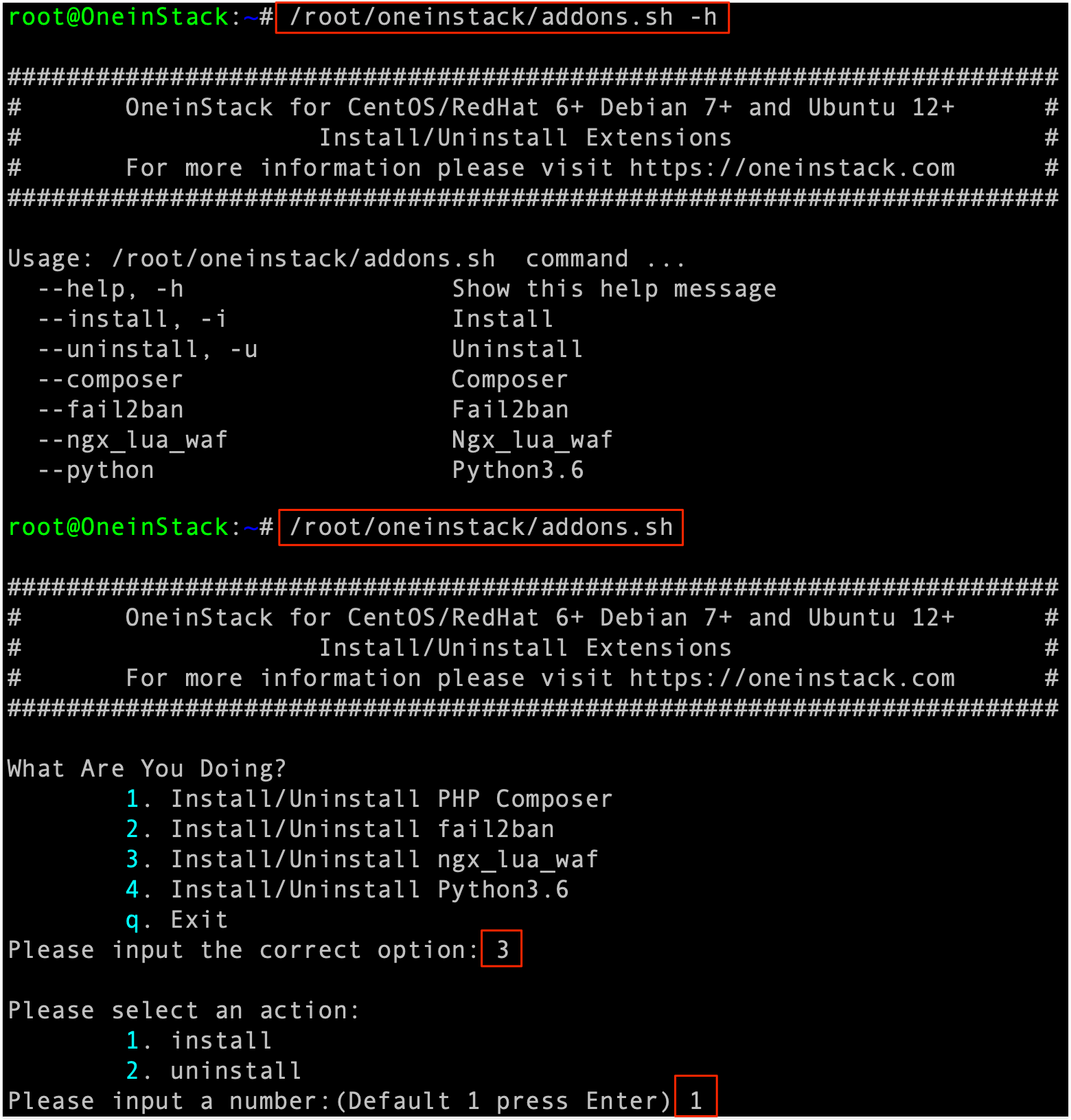
如何添加附加组件?
注意
如果之前没有安装组件,后续补充安装,统一入口为
./install.sh,addons.sh脚本不在提供,如之前没有安装php redis扩展,补充安装命令:./install.sh --php_extensions redis
1 | |
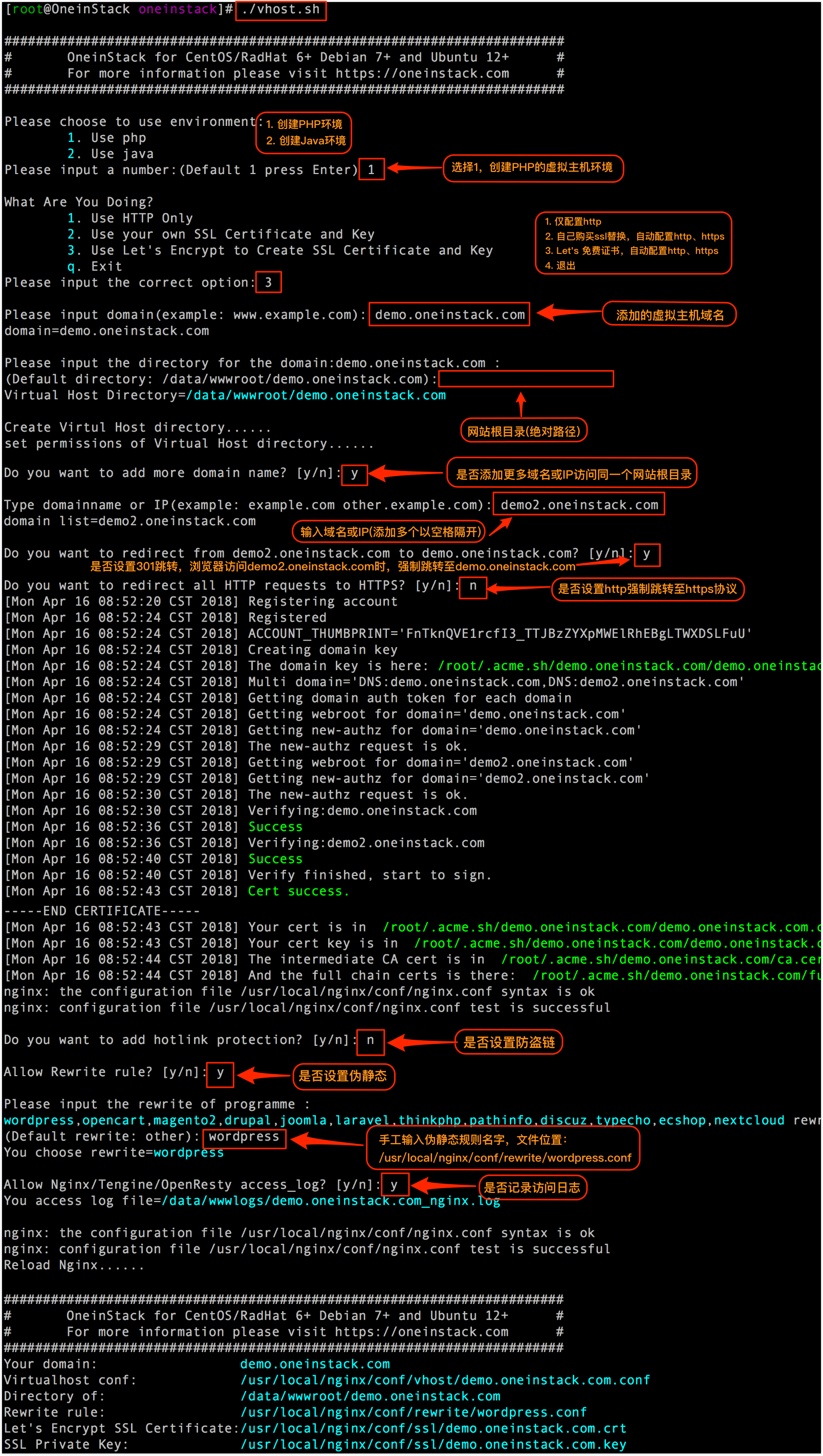
如何添加虚拟主机?
1 | |
启动Nginx
1 | |
重载 Nginx 使配置生效
验证 nginx 配置
1 | |
如果输出如下提示则代表配置有效:
1 | |
重载 Nginx 配置:
1 | |
重启Nginx
1 | |
可能遇到的问题:
nginx使用service nginx restart报错
启动nginx服务时如果遇到这个错误 Job for nginx.service failed because the control process exited with error code. See "systemctl status nginx.service" and "journalctl -xe" for details.
可能原因:
1、配置文件语法有误,执行nginx -t
查看输出提示信息 并检查端口是否被占用netstat -tnlp
2、nginx的配置文件nginx.conf中监听了其他端口,这些端口的子进程仍然运行,导致端口占用。需要首先关闭子进程,才能使用该命令。
此时可以kill -9 pid 。

Linux环境Nginx命令
| Linux环境Nginx命令 | 功能 |
|---|---|
| sudo nginx -t | 查看配置文件语法 |
| sudo nginx -c /usr/local/nginx/conf/nginx.conf | 指定配置文件启动 |
| sudo nginx -s stop | 强制停止nginx |
| sudo nginx -s reload | 重新加载配置文件 |
| sudo systemctl(或者service) start nginx | 启动nginx |
| sudo systemctl(或者service) enable nginx | 开机自启动 |
| sudo systemctl(service) restart nginx | 重启nginx |